Without it
- Searching ingredients slows down the moment.
- Manual portion guesses make the habit feel fragile.
- Too much effort means people stop tracking quickly.
 GluNudge
 GluNudge turns a meal photo into a lightweight food journal entry, macro gram estimates, and shareable Meal Posters, helping people understand everyday eating without the drag of manual logging.
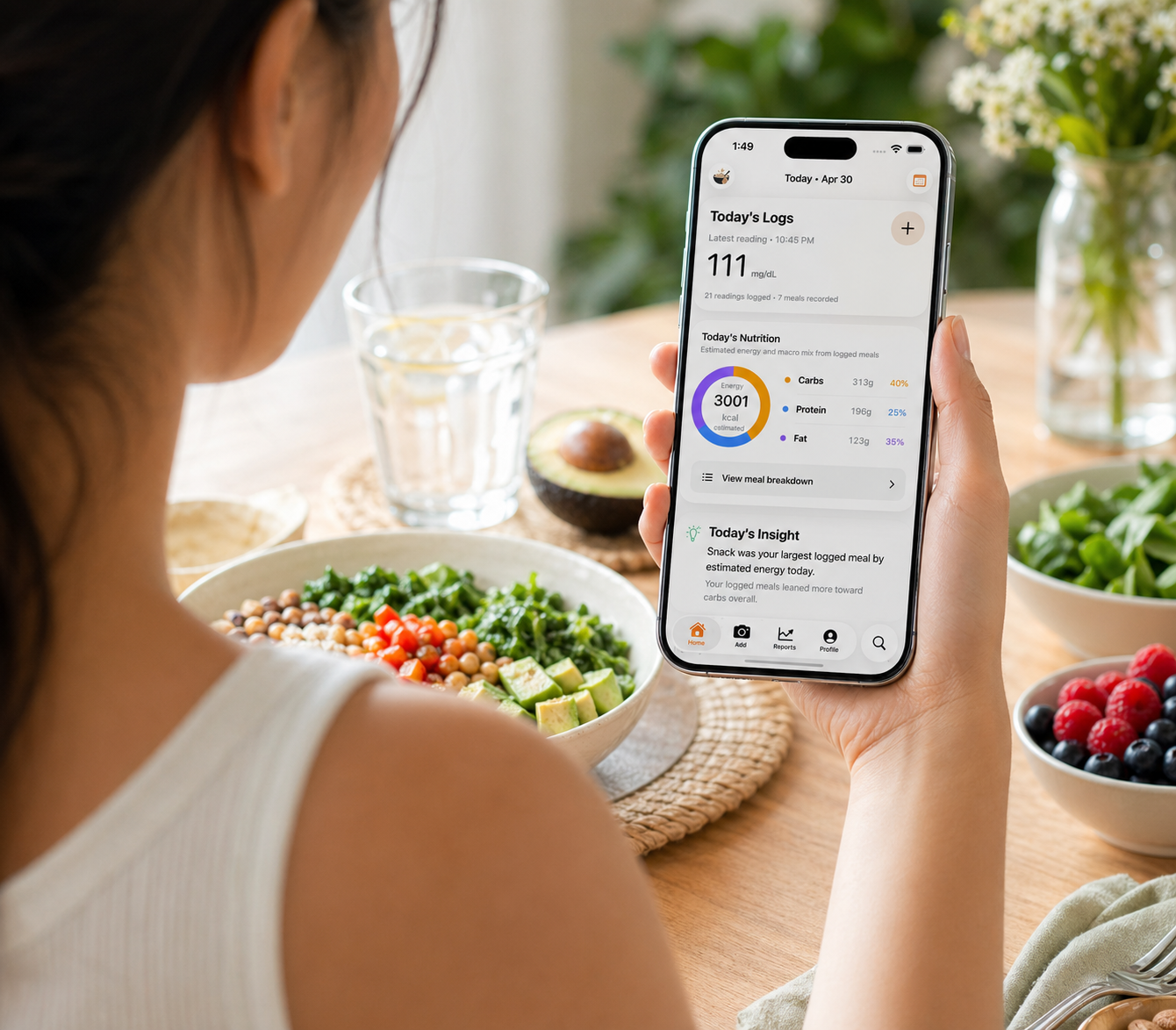
Most food logging tools ask people to search, estimate, and enter too much. GluNudge keeps the first action simple: take a photo and get something useful back.
Without it
With GluNudge
The flow should feel lighter than traditional logging from the first interaction.
Start with any meal photo, whether it is breakfast, lunch, dinner, or a snack.
AI returns a short meal summary, visible ingredients, calories, and approximate macro grams.
Review patterns, create Meal Posters, and choose Today's Posters from eligible meals with photos.
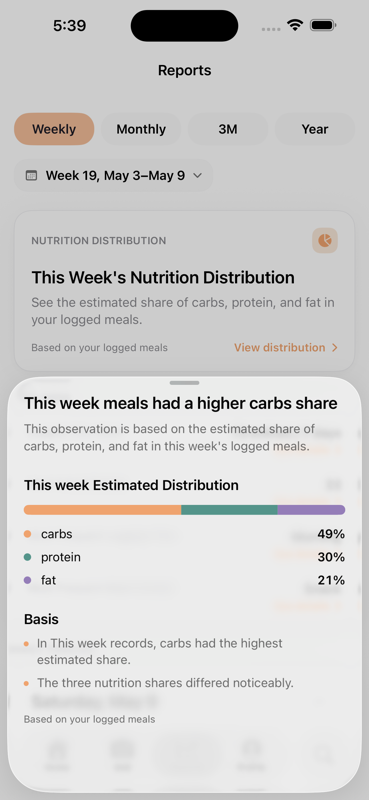
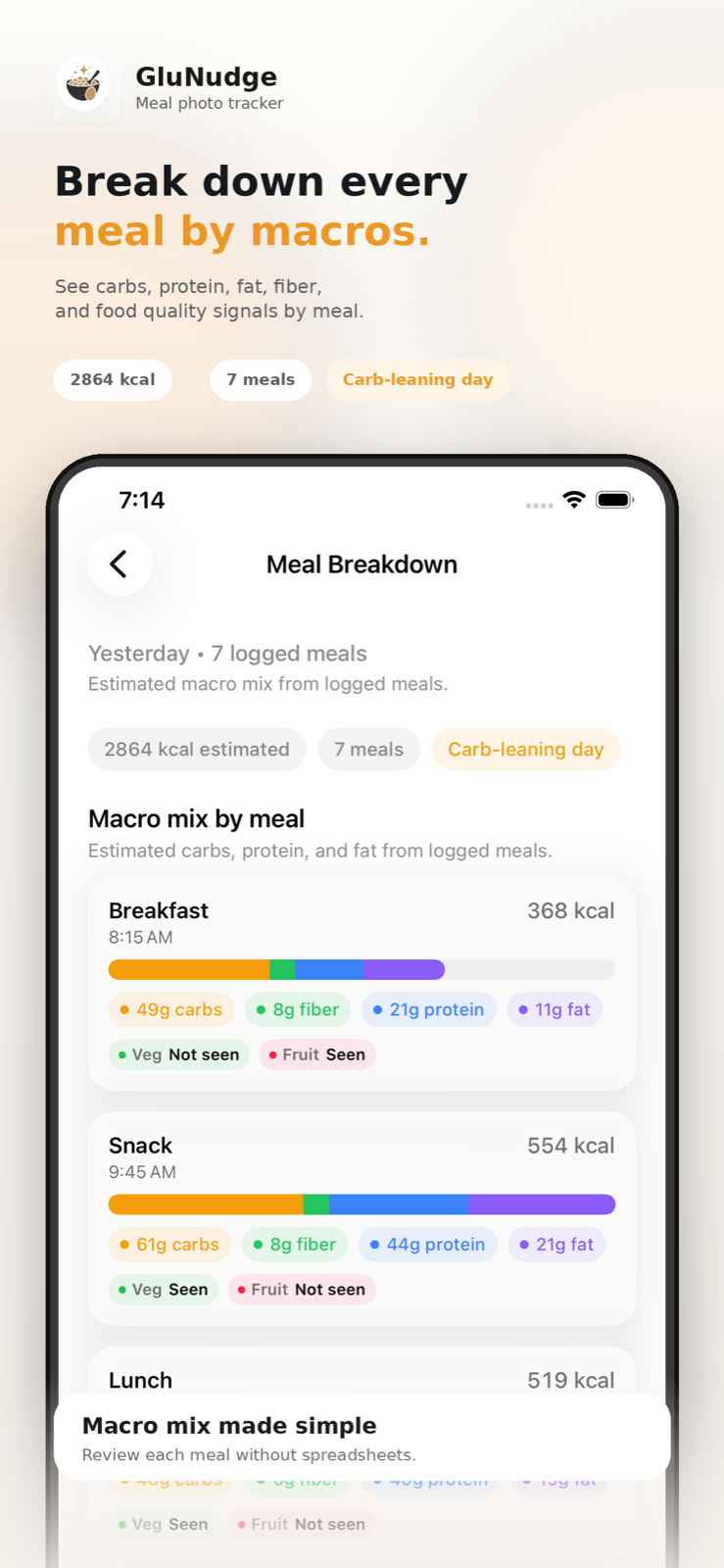
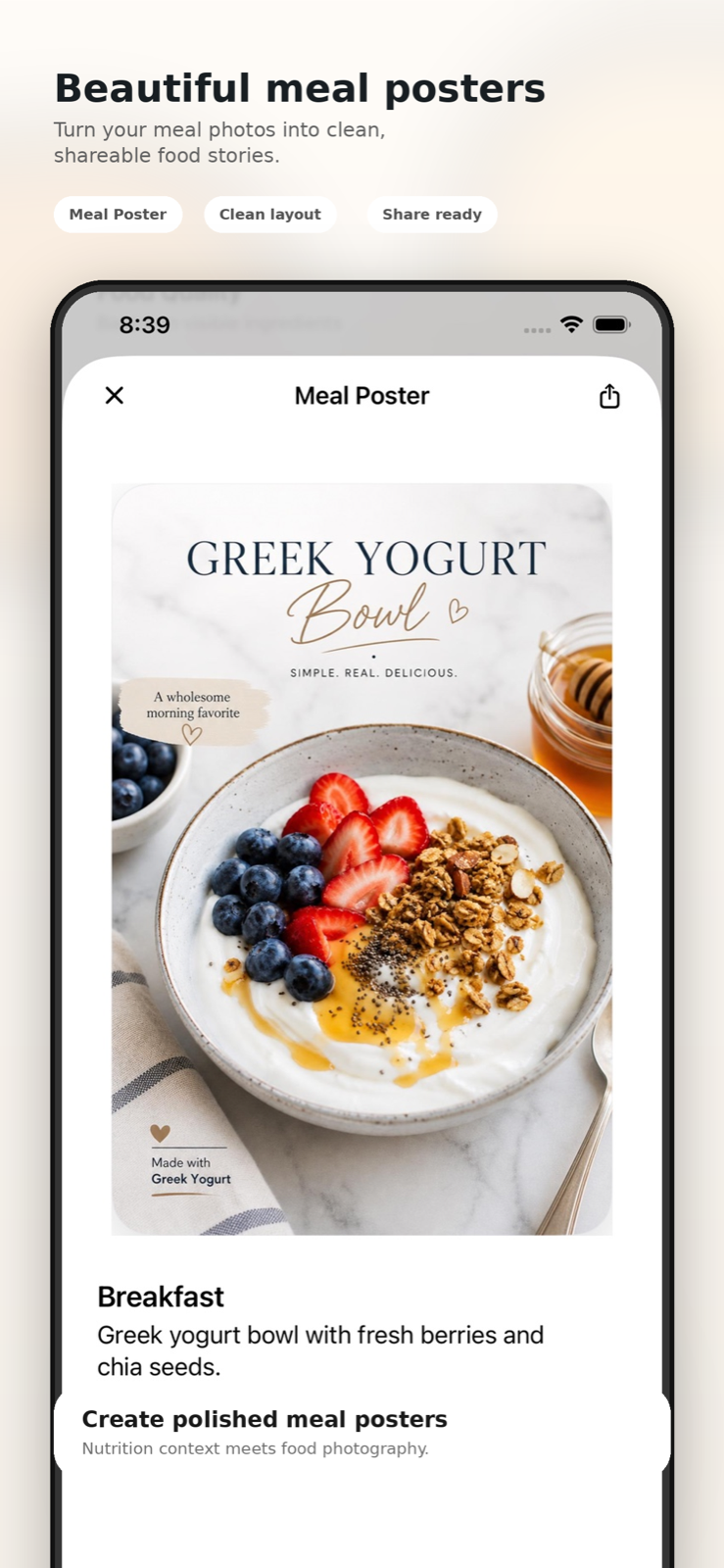
These previews show the broader GluNudge flow: a daily home view for quick review, day-level macro breakdown, Meal Poster creation, and weekly reports for spotting nutrition patterns over time.
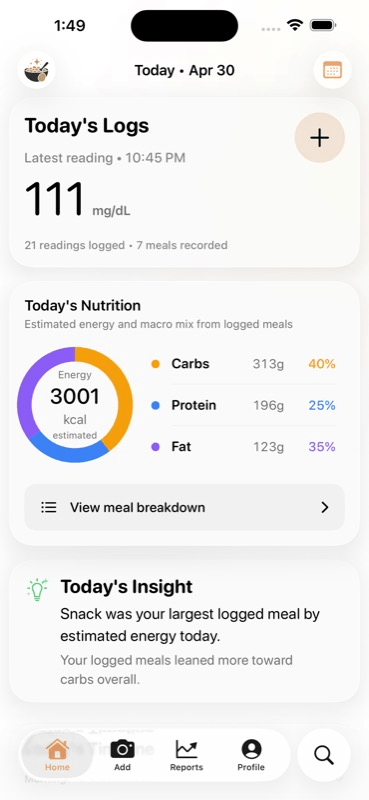
Recent meals and estimates sit together in the main daily screen.
The report screen summarizes macro distribution across the selected week.
Choose visual styles with thumbnails, from private dining to Mediterranean and dish-aware cuisine-adaptive looks.
Calories and macro grams are presented as quick estimates for everyday awareness.
GluNudge keeps everyday food awareness light: snap a meal, scan estimates, and create a poster when the meal is worth saving or sharing.
Start with the meal itself, not an ingredient database, so the habit feels easier to keep.
Show calories and macro gram estimates in a format that is quick to scan and easy to understand.
Create polished food posters with style templates, thumbnails, and dish-aware presentation guidance.
Highlight the best eligible meals with photos for today, while still letting people choose any saved meal image.
Meal photos stay on device by default; nutrition results are estimates; logged glucose readings are only context you choose to review alongside meals.
Meal history stays on device by default, with iCloud sync only when users choose to enable it.
GluNudge helps people understand everyday meals. It is not a diagnosis, treatment, or medical guidance product.
GluNudge can help people review meals alongside glucose readings they log, but it does not measure, estimate, or predict glucose.
No. GluNudge is a lifestyle tool for understanding meals, not for diagnosis, treatment, or medical guidance.
The estimates are best-effort readings based on what is visible in the meal photo and reasonable assumptions about ingredients and portions.
No. GluNudge can help you review meals alongside glucose readings you log, but it does not measure, estimate, or predict glucose.
No. The core experience starts with a photo, and Meal Posters are optional when you want a more visual memory or shareable result.
Your meal history stays on your device by default. If you turn on iCloud sync, it is stored in your private iCloud account. Analysis photos are sent to GluNudge only when you request analysis and are stored temporarily under our retention policy.
Get the app
GluNudge is available on the App Store for quick meal review, macro gram estimates, and Meal Posters.
Designed for quick meal review, macro gram estimates, and Meal Posters.